
Incogniton Review 2026: Features, Pricing, Pros & Cons

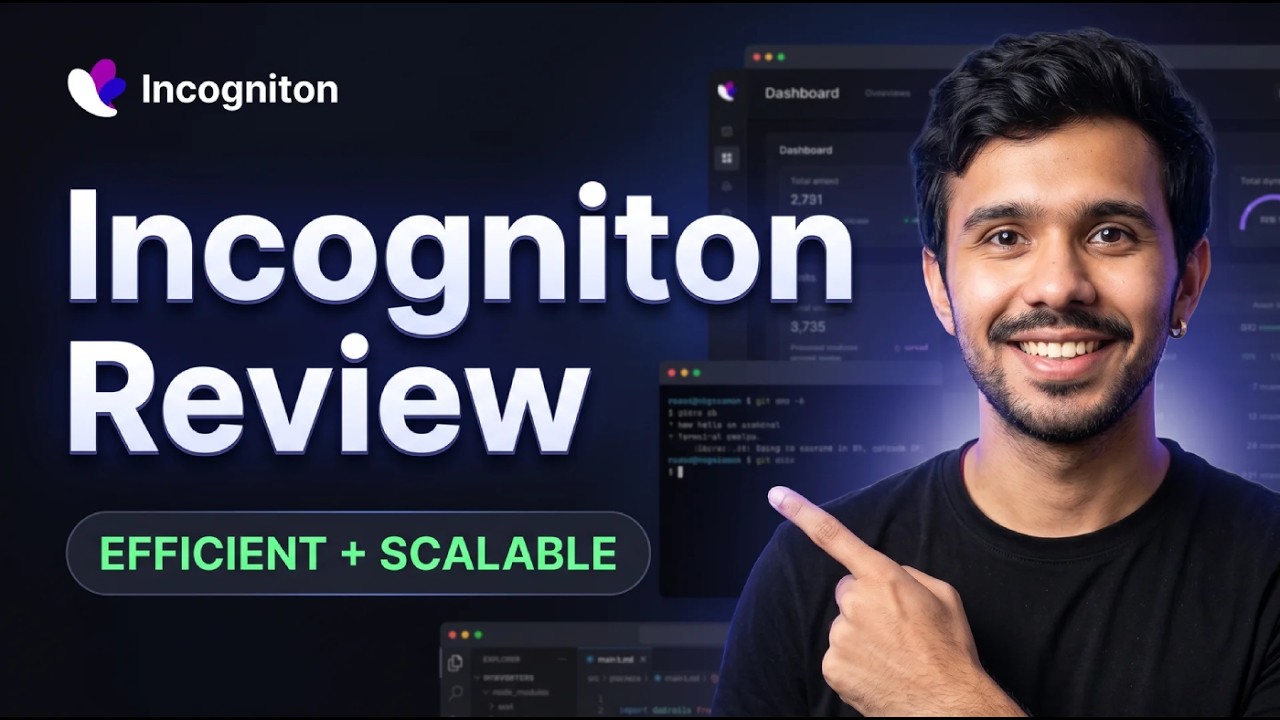
Are you juggling multiple online accounts for your business? Whether you're in e-commerce, social media marketing, or crypto, you know the risk. One wrong move, one linked account, and poof—your top-performing ad account is banned, your e-commerce store is suspended, or your affiliate earnings are gone. This isn't just an annoyance; it's a direct hit to your revenue. The core problem is browser fingerprinting, where websites track you not just by cookies, but by your unique device settings.
What if you could build a digital fortress? Imagine having ten, fifty, or even a hundred different computers, each with its own unique digital identity, all managed from a single, simple dashboard.
That’s the promise of Incogniton. This antidetect browser is designed to create and manage multiple browser profiles, each with a unique, unlinked fingerprint. It helps you look like a brand-new, genuine user every time, so you can scale your operations without looking over your shoulder. But does it hold up in 2026? Let’s find out.
Incogniton Overview
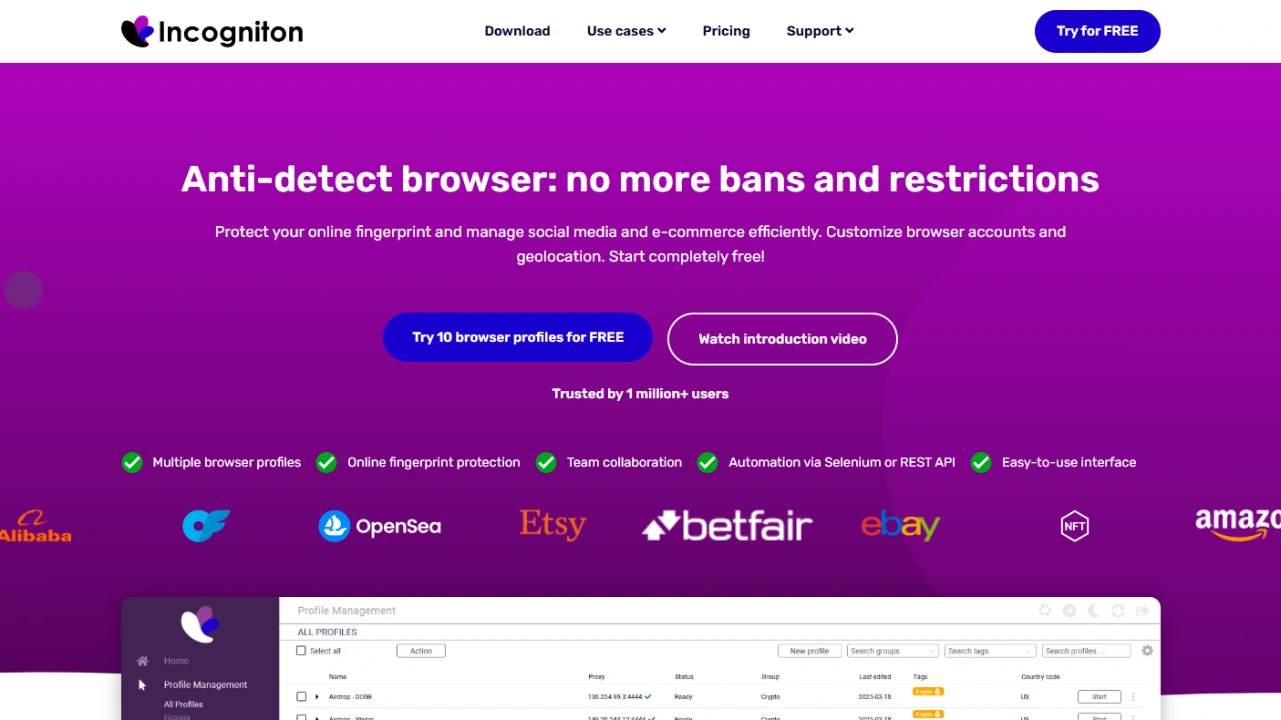
Incogniton has carved out a name for itself by offering a powerful and surprisingly affordable solution in the antidetect browser market.
It's built for professionals who need to manage multiple online identities for tasks like affiliate marketing, ad verification, e-commerce store management, and web scraping.
Its main job is to mask your digital fingerprint (like your browser, OS, screen resolution, and fonts) and let you manage each profile with its own set of cookies, cache, and proxy.
Here's a quick look at the tool:
| Features | Details |
|---|---|
| Product Name | Incogniton |
| Official Website | incogniton.com |
| Developers | WorkingGreen BV (Amsterdam, Netherlands) |
| Category | Antidetect Browser |
| Unique Selling Points (USPs) | 🚀 Generous free plan, Selenium/Puppeteer automation, "Paste as human typing" feature, affordable paid tiers, free built-in proxies, CAS AI assistant. |
| Integrations | Selenium, Puppeteer, REST API, all proxy providers (HTTP, SOCKS5, SSH), Pixelscan, BrowserLeaks, BrowserScan |
| Best For | Affiliate Marketers, E-commerce Sellers, Social Media Managers, Web Scrapers |
| Support Options | Email Support, Telegram Community |
| Documentation | Knowledge Base, YouTube Tutorials |
| Company Headquarter | Amsterdam, Netherlands |
| Starting Price | Free plan available! (Paid plans from $13.99/mo with 6-month billing or $19.99/mo monthly) |
| Alternatives | Multilogin, GoLogin, AdsPower, Octo Browser |
| Affiliate Program | ✅ Yes |
| Affiliate Commission | Contact their team for details |
| Money-Back Guarantee | No (but a permanent free plan is available) |
Incogniton Features
Incogniton isn't just a basic browser. It's packed with features designed to make your multi-accounting life easier and safer.
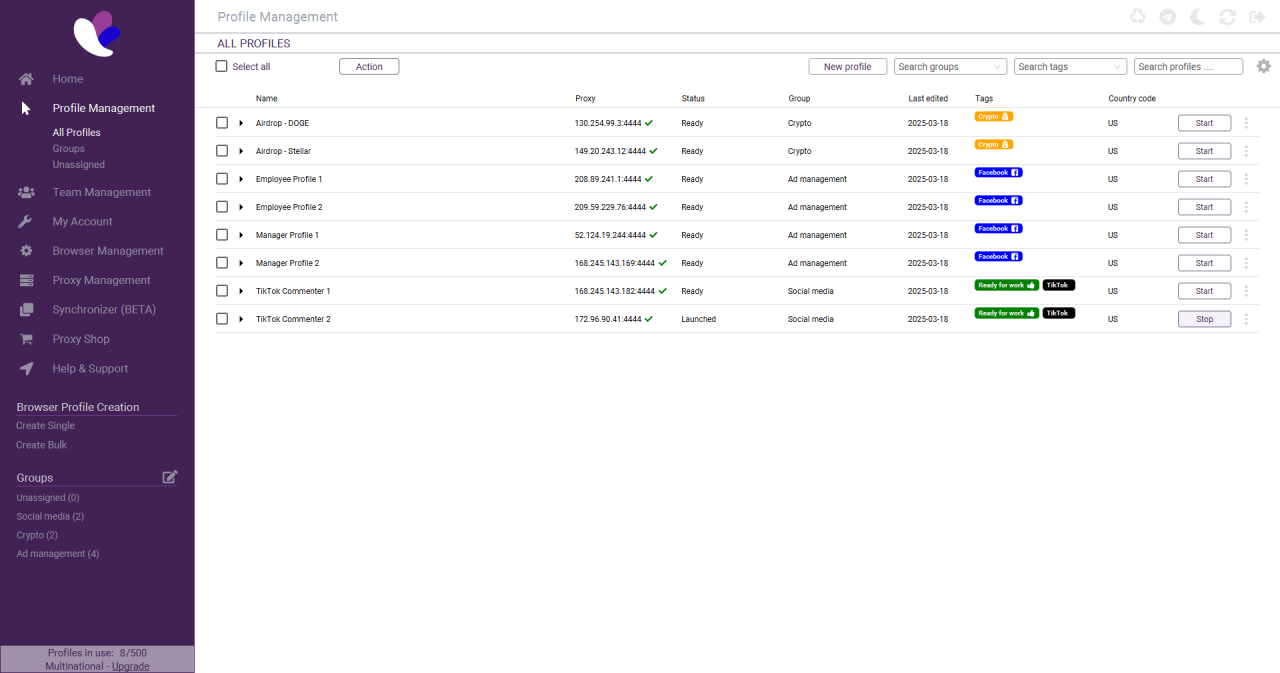
1. Multiple Browser Profiles: This is the core function. You can create dozens or hundreds of virtual browser profiles. Each profile stores its own cookies, local storage, and cache, so they are completely isolated from one another.
2. Advanced Fingerprint Spoofing: Incogniton gives you fine-grained control over your digital identity. You can customize:
- User Agent & Browser Core
- Operating System (Windows, macOS, Linux)
- Screen Resolution and Fonts
- WebGL and Canvas Fingerprints
- WebRTC and Geolocation
- CPU Cores and RAM
3. Built-in Automation: This is a huge plus for power users. Incogniton supports Selenium and Puppeteer integration, allowing you to automate repetitive tasks like account creation, posting, or data collection. Note that automation (REST API, Selenium, Puppeteer) is available from the Entrepreneur plan upward — it is not included in the free Starter or Starter Plus plans.
4. Paste as Human Typing: A clever feature that simulates real human typing instead of an instant copy-paste. This small detail can help bypass bot-detection systems that look for unnaturally fast data entry.
5. Team Collaboration: On higher plans, you can add team members, create separate roles, and assign permissions for different profiles. This is essential for agencies or teams working on the same projects.
6. Cookie Management: Easily import or export cookies (in Netscape or JSON format) to warm up new profiles or transfer sessions. It also features a Cookie Collector to automatically visit a list of URLs and gather cookies.
7. Synchronizer: This tool lets you mirror your actions from one profile across multiple other profiles at the same time. It's incredibly useful for managing many accounts simultaneously.
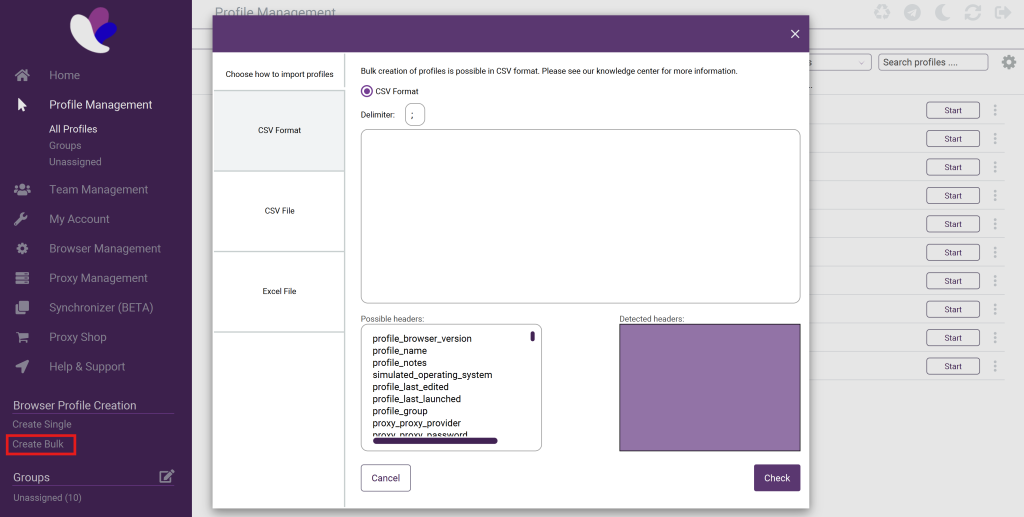
8. Bulk Profile Creator: Need to create 50 profiles fast? You can import a CSV or Excel file to generate profiles in bulk, complete with their proxies and settings.
9. Free Built-In Proxies: Every plan — including the free tier — includes access to Incogniton's built-in free proxies across 9 countries (US, Hong Kong, Brazil, Netherlands, Australia, UK, Germany, India, Ukraine). These work well for basic testing, though premium external proxies are recommended for high-stakes operations.
10. CAS AI Assistant: Incogniton now includes an AI assistant (CAS) built into the platform to help users navigate features, troubleshoot issues, and optimize their setup. CAS is available on all plans, including the free tier.

Incogniton Pricing
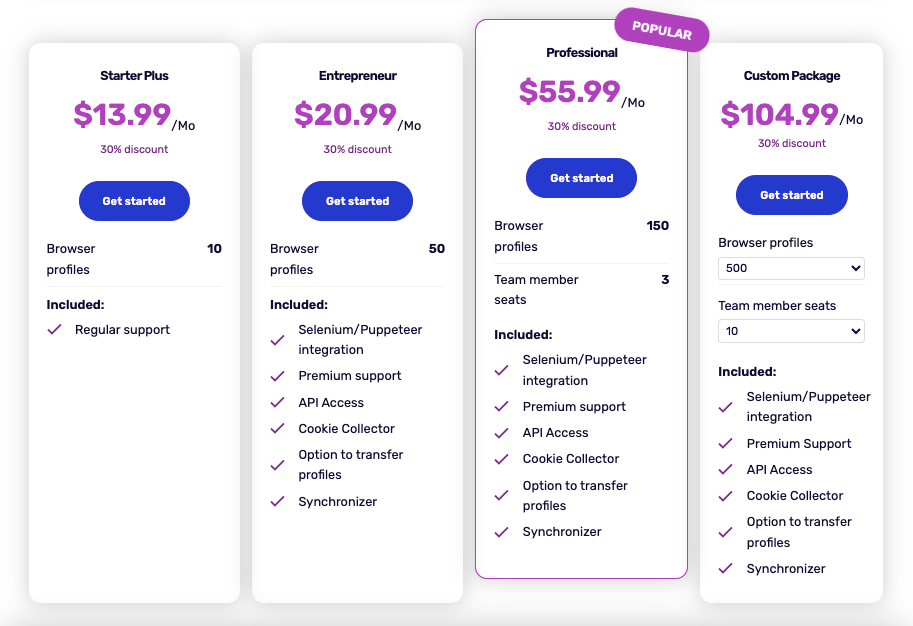
This is where Incogniton really shines for many users. The pricing is straightforward and extremely competitive, especially its free plan.
A quick tip: Incogniton offers a 30% discount if you pay for 6 months upfront. For yearly billing, the discount goes up to 40% — contact their support team to get the yearly pricing applied.
Here is a breakdown of the current pricing plans (billed monthly):
| Plan | Price (Monthly) | Profiles | Team Seats | Key Features |
|---|---|---|---|---|
| Starter (Free) | $0 | 10 for first 2 months, then 3 | 1 | Basic fingerprinting, free built-in proxies |
| Starter Plus | $19.99 | 10 | 1 | All Starter features + regular support |
| Entrepreneur | $29.99 | 50 | — | API Access, Selenium/Puppeteer, Cookie Collector, Synchronizer, profile transfer, premium support |
| Professional | $79.99 | 150 | 3 | All Entrepreneur features + team dashboard & roles |
| Custom | $149.99+ | 500+ | 10+ | All features, custom profile/seat scaling, dedicated account manager |
Note on the free plan: After the first two months, the free plan permanently downgrades to 3 profiles. Automation (REST API, Selenium), Cookie Collector, Synchronizer, profile transfer, and cookie export are not available on the free plan.
Which plan is best?
- For Beginners: The Free Starter plan is a no-brainer — 10 profiles for two months (then 3 permanently) with no credit card required. It's enough to evaluate the tool or run a small personal project.
- For Serious Solo Users: The Entrepreneur plan at $29.99/mo offers the best value. It unlocks automation, Synchronizer, Cookie Collector, and profile transfer — everything you need to scale efficiently.
- For Teams & Agencies: The Professional plan is the right pick, giving you 150 profiles and 3 team seats with a full team dashboard and role management.
How to Use Incogniton Antidetect Browser
Getting started with Incogniton takes less than 10 minutes. Here's a step-by-step walkthrough from download to your first live browser profile.
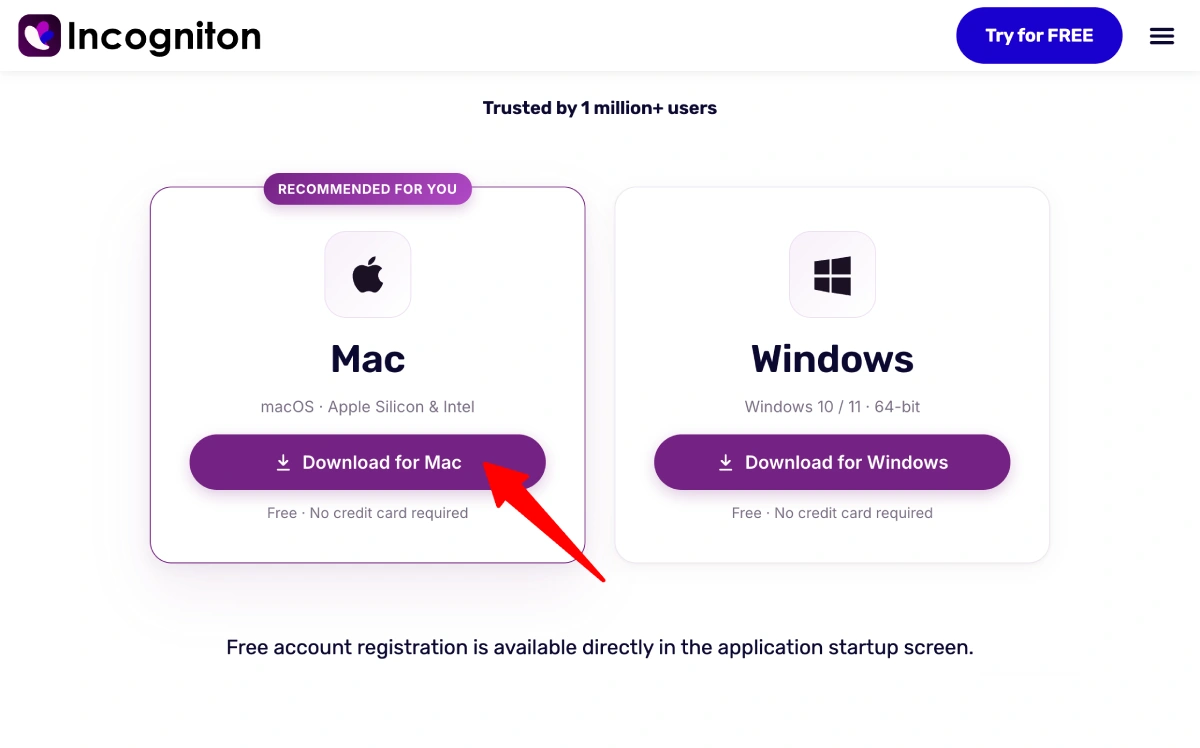
Step 1: Download and Install Incogniton
Head to incogniton.com and download the installer for your operating system — Windows or macOS. Run the installer and follow the on-screen prompts. The app installs like any standard desktop application.
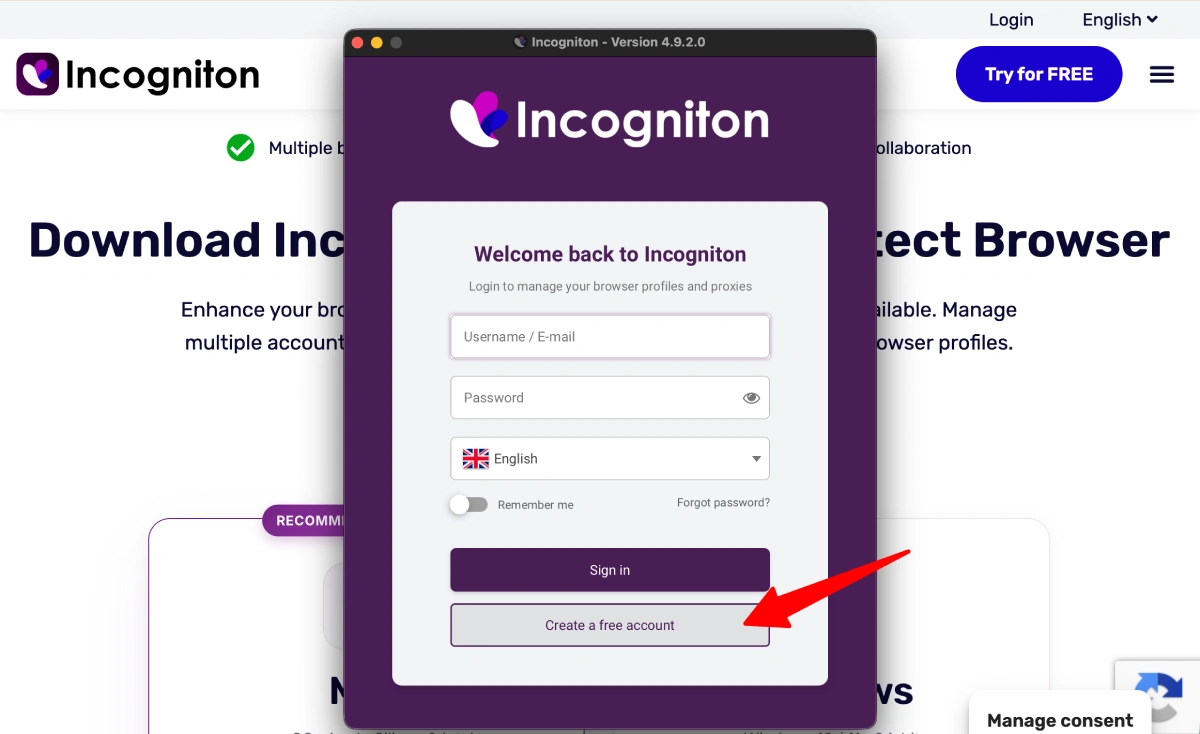
Once the installation is complete, open Incogniton and you'll be greeted with the welcome screen — from here you can log in to an existing account or sign up for a new one.
Step 2: Create a Free Account
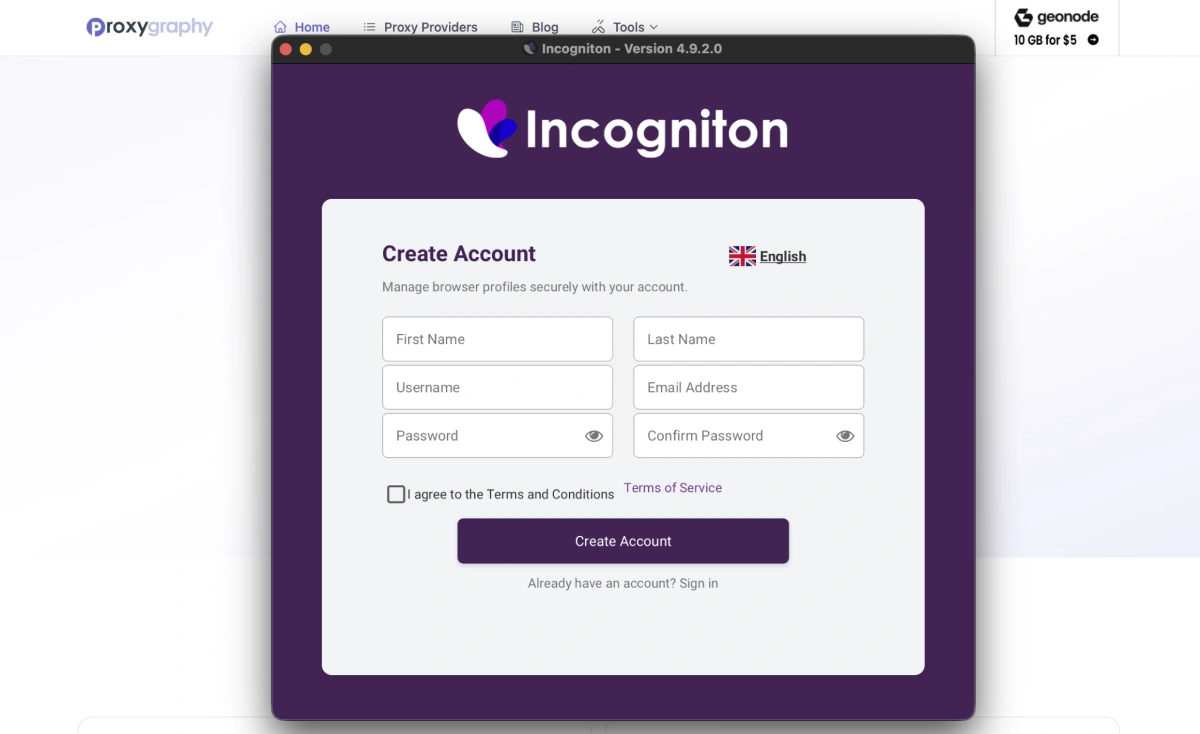
Once installed, open Incogniton and click Create Account. Sign up with your email — no credit card required. Your free account gives you 10 browser profiles for the first two months, then 3 permanently. After registering, log in and you'll land on the main dashboard.
Step 3: Create a New Browser Profile
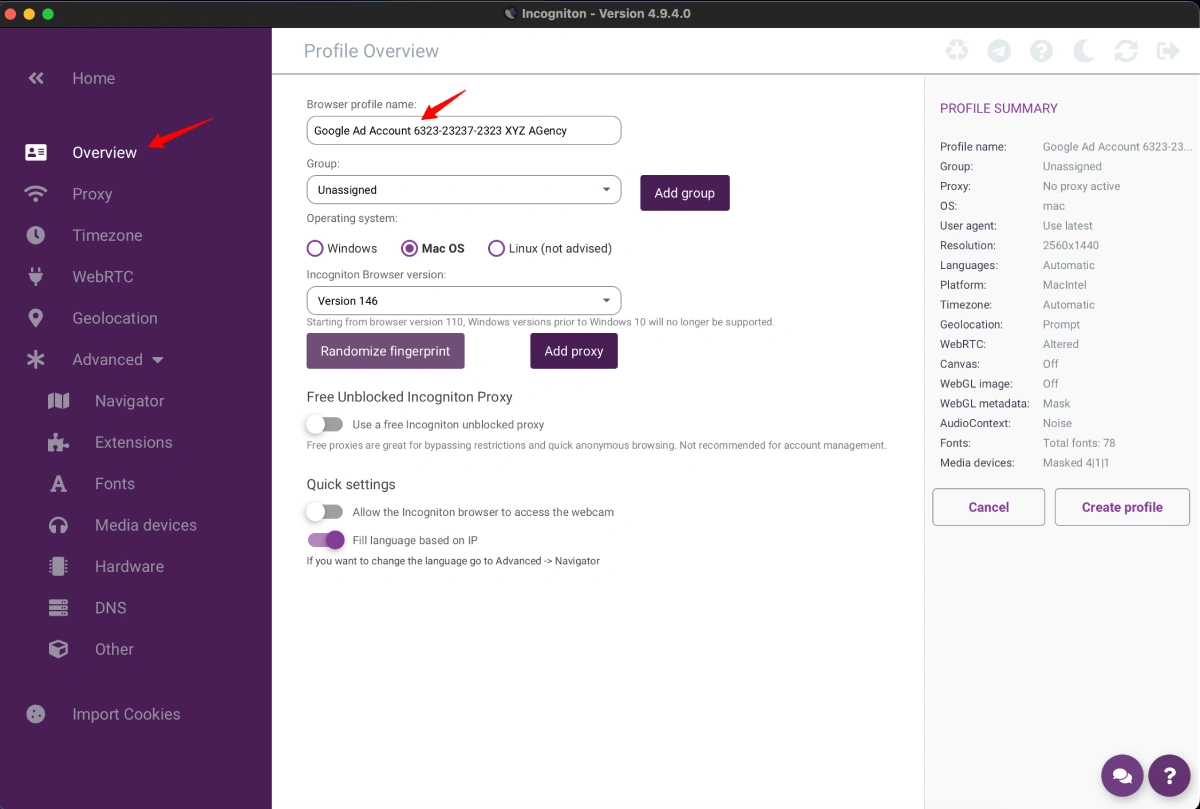
Click the New Profile button in the dashboard. Give the profile a name (e.g. "Amazon Store 1") and assign it to a group or folder if you're managing multiple profiles. Each profile is a fully isolated browser environment with its own cookies, cache, and fingerprint.
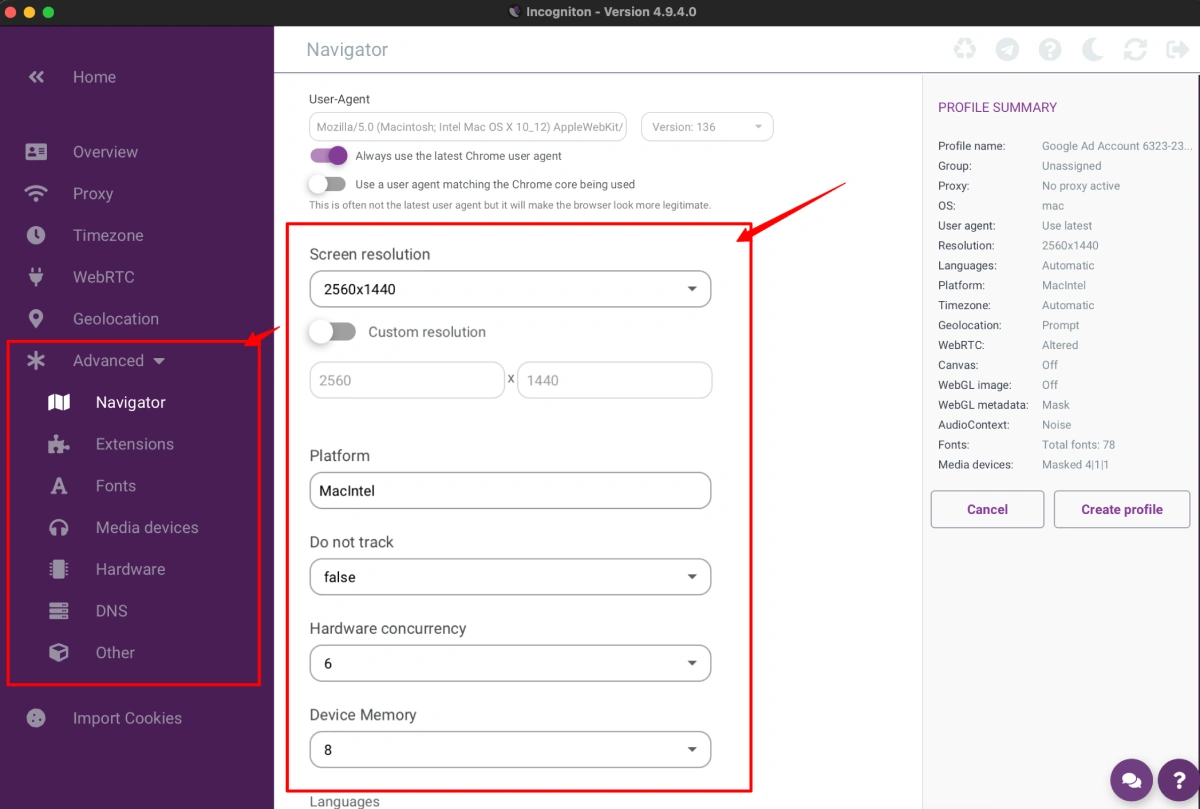
Step 4: Configure the Fingerprint
In the profile settings, go to the Fingerprint tab. Incogniton auto-generates a unique fingerprint for each profile, but you can manually adjust key parameters such as:
- User Agent and browser version
- Operating system (Windows, macOS, Linux)
- Screen resolution, fonts, and timezone
- WebGL, Canvas, and WebRTC settings
- CPU cores and RAM
For most use cases, the auto-generated fingerprint is sufficient. Click Check Fingerprint to verify your profile passes detection tests before you start.
Step 5: Add a Proxy to the Profile
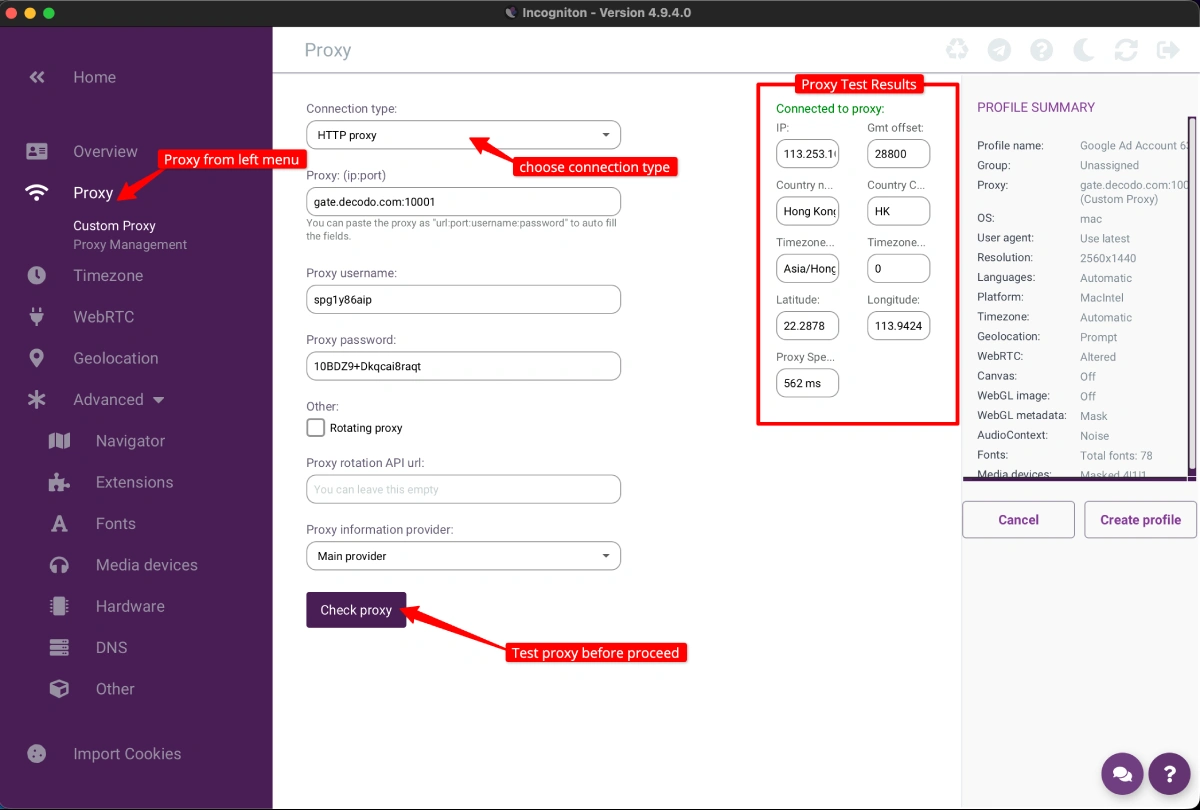
Go to the Proxy tab within the profile settings. You can either use one of Incogniton's free built-in proxies (select a country from the dropdown) or paste in your own proxy in the format username:password@ip:port. Incogniton supports HTTP, SOCKS5, and SSH proxy types. Click Test Proxy to confirm it's working before saving.
Step 6: Launch the Profile and Start Browsing
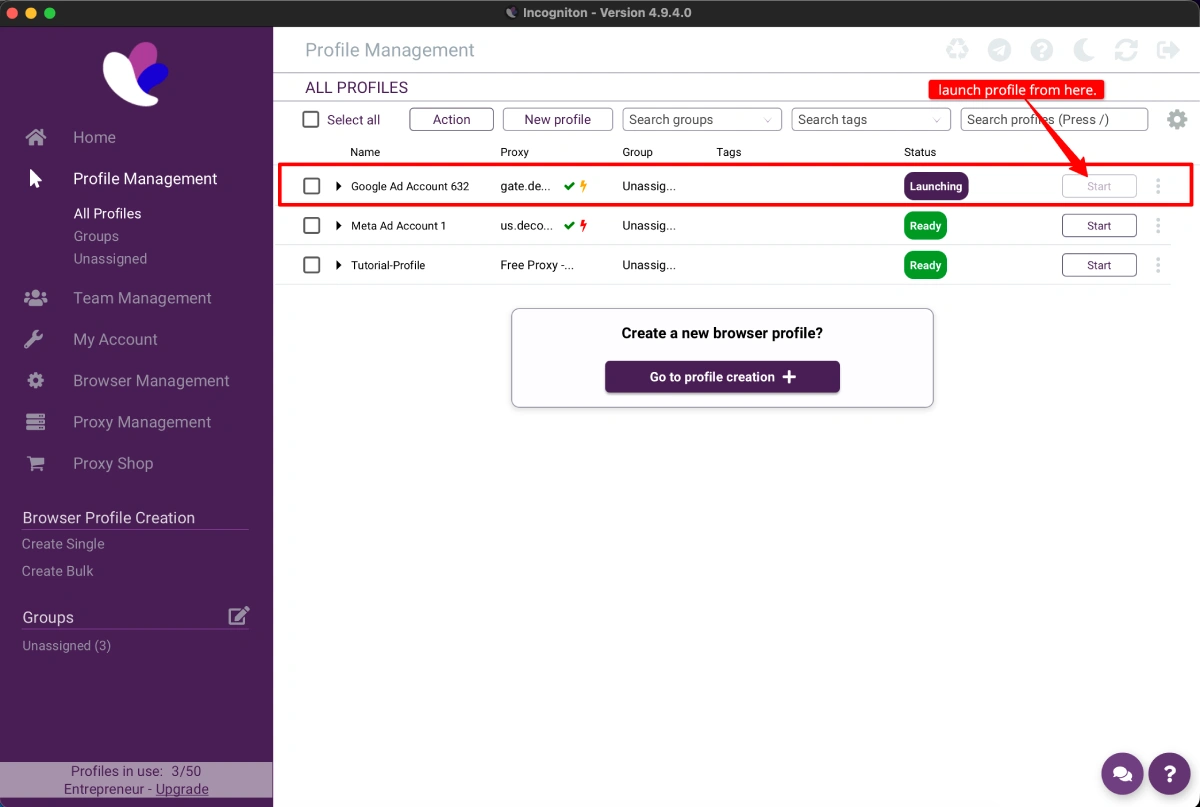
Back on the dashboard, click Start next to your profile. Incogniton opens a dedicated Chromium-based browser window for that profile. Everything you do in this window — cookies, logins, history — stays isolated from your other profiles. When you're done, close the window and the session is saved automatically.
Incogniton Alternatives
Incogniton is a strong contender, but it's not the only one. Here's how it stacks up against the top alternatives:
| Incogniton | GoLogin | Multilogin | |
|---|---|---|---|
| Logo |  |  |  |
| Best For | Budget-conscious solo users & teams | Flexibility & mobile use | Enterprise & large teams |
| Free Plan | ✅ Yes (10 profiles for 2 months, then 3 permanently) | ✅ Yes (3 profiles) | ❌ No |
| Starting Price | $19.99/mo ($13.99/mo billed 6-monthly) | $24/mo (billed annually) | €9/mo (entry) |
| Automation | Selenium, Puppeteer, REST API | Selenium, Puppeteer, REST API | Selenium, Playwright, Puppeteer |
| Free Built-In Proxies | ✅ Yes (9 countries) | ❌ No | ❌ No |
| Key Differentiator | Free proxies, CAS AI assistant, Synchronizer | Cloud profiles, Android app, web version | Mimic + Stealthfox engines, cloud-encrypted profiles |
| Platform | Windows, macOS | Windows, macOS, Linux, Android, Web | Windows, macOS, Linux |
- GoLogin: A very close competitor to Incogniton with an affordable entry point. It stands out with cloud-based profiles, an Android app, and a web version — great for teams needing remote access.
- Multilogin: The enterprise standard in the antidetect browser market. Known for its dual browser engines (Mimic and Stealthfox), top-tier fingerprinting stability, and advanced team features — but no free plan and premium pricing.
Incogniton Pros & Cons
No review is complete without an honest look at the good and the bad.
👍 Pros
- Generous Free Plan: The best free plan in the market, making it accessible to everyone.
- Excellent Value: The paid plans offer a massive number of features for a very low price compared to competitors.
- Powerful Automation: Full support for Selenium and Puppeteer, plus a REST API, is a huge win for scaling operations.
- Helpful Features: Tools like the "Synchronizer" and "Paste as Human Typing" are genuinely useful and show attention to detail.
- Good Customization: Provides deep control over all important fingerprinting parameters.
- Free Built-In Proxies: Every plan includes free proxies across 9 countries, which is rare in the antidetect browser market — great for getting started without extra costs.
👎 Cons
- Outdated User Interface: The UI is functional and users consistently describe it as reliable and easy to use, but it looks dated compared to newer competitors like GoLogin or Octo Browser.
- No Mobile App: You are tethered to your Windows or macOS desktop. There is no mobile app or cloud-based web version for managing profiles on the go.
- Past Data Leak: Incogniton experienced a user data breach previously. While no recent incidents have been reported, transparency about how the issue was resolved remains limited.
- macOS Limitations: The Synchronizer feature is only available on Windows. Some macOS users have also reported issues with system verification on launch.
- Support Channels: Support is mainly through email and Telegram, which may not be as fast as the 24/7 live chat some competitors offer.
FAQs
What problem does Incogniton solve?
Incogniton solves the problem of account suspensions and bans that occur when websites use browser fingerprinting to link your accounts. It allows you to create multiple, isolated browser profiles, each with a unique digital identity, making it appear as if each account is being accessed from a different, genuine device.
Does Incogniton have a free trial?
Yes, Incogniton offers a generous permanent free "Starter" plan. New users get 10 browser profiles for the first two months, after which the plan reverts to 3 permanent profiles, allowing you to use the core features indefinitely at no cost.
Is there a money-back guarantee for Incogniton?
No, Incogniton does not offer a money-back guarantee on its paid subscriptions. This policy is balanced by its comprehensive free plan, which allows users to thoroughly test the software and its features before deciding to purchase a paid plan.
What are the main features of Incogniton?
Incogniton's key features include the creation of multiple, isolated browser profiles, advanced fingerprint customization, and robust automation support via Selenium and Puppeteer. It also provides unique tools like a "Paste as Human Typing" simulator, a "Synchronizer" for mirroring actions across profiles, and team collaboration features.
Does Incogniton support automation?
Yes, Incogniton provides strong automation capabilities starting with its "Entrepreneur" plan. It supports integration with popular frameworks like Selenium and Puppeteer, and also includes a REST API, allowing users to automate repetitive tasks and workflows.
Can I use Incogniton on my phone?
Incogniton is available only as a desktop application for Windows and macOS. The platform does not offer a mobile app for Android or iOS, nor does it provide a cloud-based web version for managing profiles from a mobile device.
Who is Incogniton best for?
Incogniton is ideal for affiliate marketers, e-commerce sellers managing multiple stores on platforms like Amazon or Etsy, and social media managers handling numerous ad accounts. It is also highly effective for web scrapers and individuals participating in cryptocurrency airdrops who need to maintain separate browser identities.
What are some good alternatives to Incogniton?
The top alternatives to Incogniton include Multilogin, which is a premium, enterprise-grade solution, as well as GoLogin and AdsPower, which are very popular and closely matched competitors. Other strong alternatives mentioned are Octo Browser and Undetectable.io.
Does Incogniton include proxies with its plans?
Yes, Incogniton includes free built-in proxies on all plans — including the free tier. These proxies cover 9 countries (US, Hong Kong, Brazil, Netherlands, Australia, UK, Germany, India, Ukraine) and are useful for basic testing. For more demanding operations, users can also connect external proxies from any third-party provider via HTTP or SOCKS5.
Conclusion
Is Incogniton the right choice for you in 2026?
After an in-depth review of the platform — including its features, user feedback, and comparison with leading alternatives — here’s our verdict:
Incogniton stands out as a strong option, particularly for users focused on affordability. Its free plan is one of the best available, and its paid tiers provide excellent value for money. The addition of free built-in proxies and the CAS AI assistant further strengthen its offering. For solo professionals, small teams, or users seeking advanced automation through Selenium or Puppeteer, Incogniton delivers impressive functionality without the high cost.
That said, it’s not perfect. The interface looks dated compared to newer competitors, macOS users may run into limitations with the Synchronizer, and the past data breach — while unconfirmed as ongoing — is worth knowing about before committing.
Overall, Incogniton remains a top-tier antidetect browser — powerful, feature-rich, and budget-friendly.